AI kitchen design: see the remodel before you pay for it
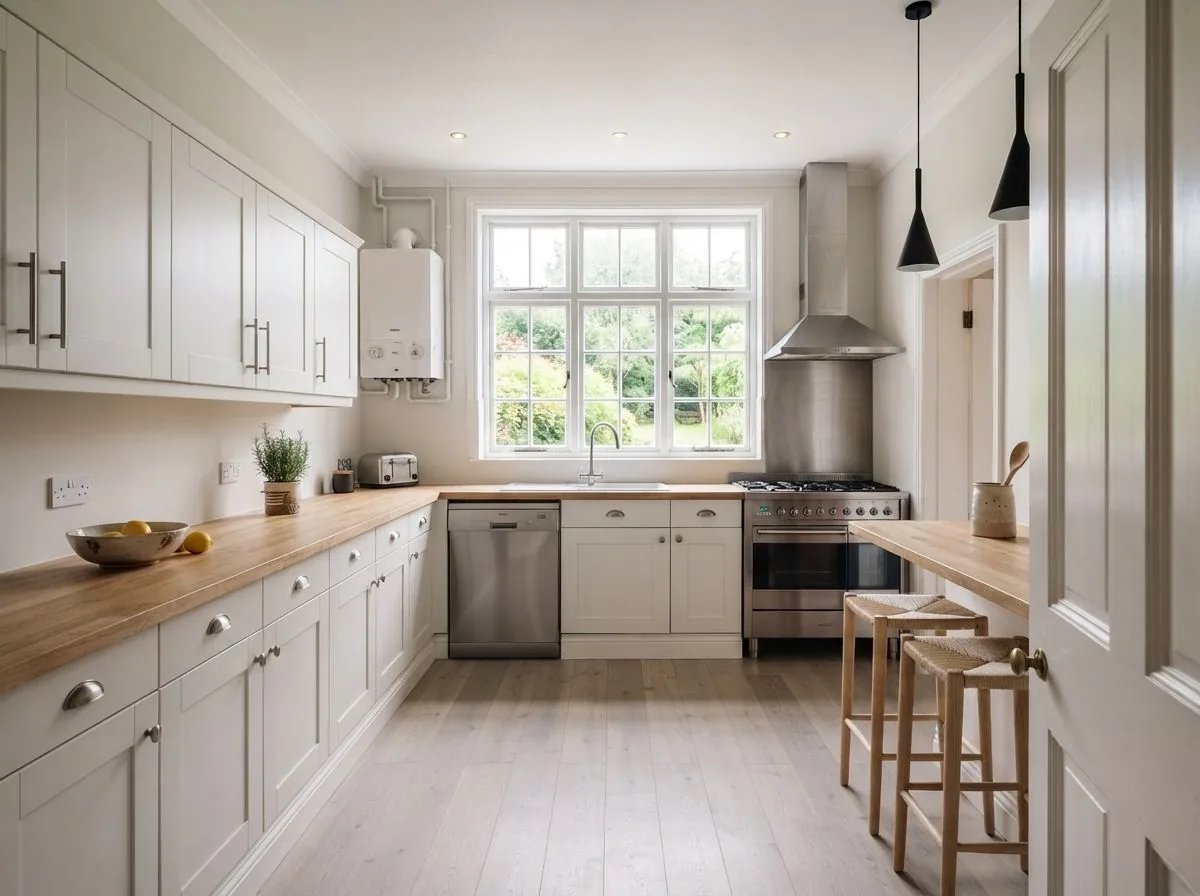
Kitchens are the most expensive room to get wrong. Roomagine takes one photo and shows the same kitchen restyled — layout and appliances where they are, fronts, worktops and finishes changed — so the big decision gets made on evidence.
- Units and appliances stay put; finishes change
- 24 styles, plus free-text down to the front colour
- A finished design in about 10 seconds
- Compare versions before briefing a fitter
How it works
From photo to kitchen, in four steps
- 1
Photograph the kitchen
Get as much of the run of units in frame as you can, worktop included, with the lights on.
- 2
Pick a style
Choose from 24 styles, or type the kitchen you're after — down to the front colour and hardware.
- 3
See it refaced
About 10 seconds later: your kitchen, same layout, new fronts, worktops and finishes. Up to 4 versions at once.
- 4
Decide with evidence
Compare versions before talking to a fitter — or before deciding the existing kitchen just needs paint and hardware.
What changes
Fronts, worktops, splashback, hardware
The parts of a kitchen that set its character are also the parts you can change without moving a pipe. Roomagine restyles exactly those — which makes it honest about what a realistic project looks like, and surprisingly persuasive about how far paint and new fronts can go.
The styles with the strongest kitchen vocabularies — though all 24 are available, and the free-text prompt takes specifics like a front colour or a worktop material.
Try it now
One design free, in your browser
Photograph your kitchen and see it restyled at roomagine.ai/try — one free design, no account, no app install.
Questions
AI kitchen design, answered
What does AI kitchen design do with my photo?
You photograph your kitchen and get back a photorealistic version of the same kitchen in a different style. Units and appliances are held where they are — because that's where the plumbing and wiring live — while fronts, worktops, splashbacks, hardware and finishes change.
Will it move my cabinets around?
No, deliberately. A kitchen redesign that relocates the sink is a construction project, not a restyle. Roomagine keeps the layout you have and shows what the same kitchen looks like refaced — which is the version of the project most budgets can actually reach.
Is this a kitchen planner with measurements?
No. There are no floor plans, no cabinet catalogues and no measurements — the input is a photograph. If you need construction drawings, you need a kitchen planner; if you need to see whether green shaker fronts were a good idea before committing, that's this.
Can I buy what's in the design?
Furniture matching covers chairs, sofas, beds and tables in 9 countries — so bar stools, kitchen tables and chairs in your design get real, buyable matches. Cabinetry and appliances aren't matched; they're shown as design direction, not products.
Which styles work for kitchens?
All 24 styles are available. Farmhouse, Modern, Industrial and Minimalist carry the strongest kitchen vocabularies — think fronts, worktops and open shelving — and the free-text prompt handles anything more specific, like "sage green shaker with brass hardware".
Is it free to try?
The app is free to download and your first design is on us. You can also try one design free in your browser at roomagine.ai/try, with no account at all.
Keep reading
Kitchen guides and nearby rooms
Your next room is one photo away.
Try one design in your browser without an account, or download the full app on iOS 13+ and Android 8+.
Try one room free