AI living room design, inside the room you actually have
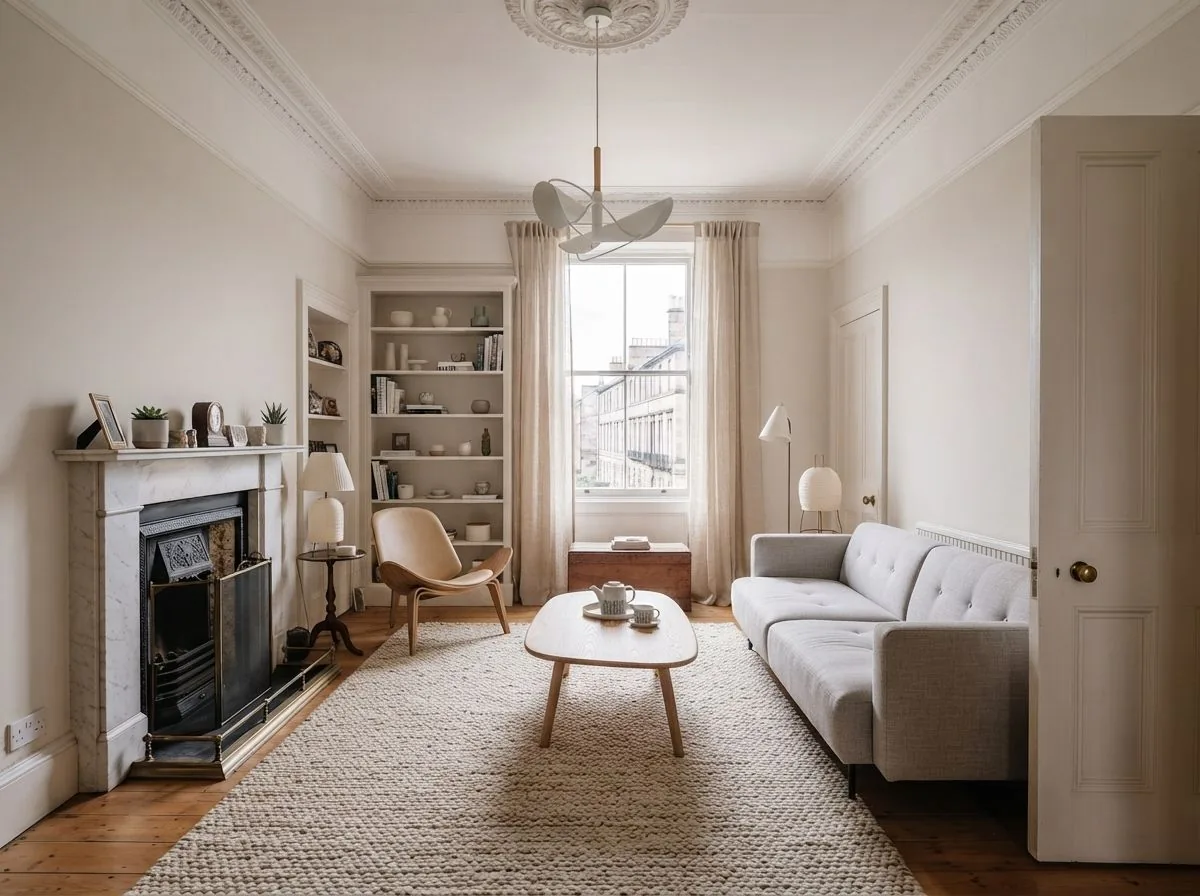
The living room carries the most furniture, the most opinions and the most awkward corners in the house. Roomagine redesigns yours from one photo — architecture untouched, everything else rethought.
- 24 styles, plus a free-text prompt
- Layouts solved inside your real geometry
- Up to 4 versions, rendered in parallel
- Sofas, chairs and tables matched to real, buyable products
How it works
From photo to living room, in four steps
- 1
Photograph the living room
Back into a corner until two walls are in frame — ideally the sofa wall and the window wall — and turn the lights on.
- 2
Pick a style
Choose from 24 styles or type what you're after. Add an accent colour if there's one the room has to keep.
- 3
Compare layouts
About 10 seconds later, the same room comes back redesigned. Ask for up to 4 versions to compare seating arrangements.
- 4
Shop the look
Tap 'Find matches' to see real sofas, chairs and tables resembling the ones in your design, from retailers in your region.
What changes
Seating, rug, lighting — solved together
A living room fails as three separate purchases and works as one decision: where people sit, what anchors them, and how the light layers around it. Roomagine makes that decision inside your room's real proportions, which is why the result is a plan and not just a picture.
The styles people reach for most in living rooms — though all 24 are available, and the free-text prompt takes anything else.
Try it now
One design free, in your browser
Before installing anything: upload a photo of your living room at roomagine.ai/try and get one free redesign, no account needed. The full app adds multiple versions, sketch input and your design library.
Questions
AI living room design, answered
What does AI living room design do?
You photograph your living room and get back a photorealistic redesign of that exact space — same windows, same proportions, same fireplace — in a style you choose. The furniture, layout, palette and lighting are rethought; the architecture is not.
Can it fix an awkward layout?
That's the most common reason people use it. Because the design is generated inside your room's real geometry, it has to solve your actual problems — the door that eats a wall, the window where the TV wants to be — rather than showing you a rectangle that doesn't exist.
Can I buy the sofa in the design?
Sofas, chairs and tables are three of the four furniture categories Roomagine matches to real products (beds are the fourth), in 9 countries. Tap "Find matches" and you get buyable lookalikes from retailers in your region — free, opening the retailer's own page.
How many versions can I compare?
Up to 4 at once, and they render in parallel, so four versions take no longer than one — about 10 seconds. Comparing two layouts side by side settles arguments faster than describing them.
Which styles suit living rooms?
All 24 styles work for living rooms. Mid-Century Modern, Contemporary and Industrial are the most-reached-for; Japanese Zen and Scandinavian if the room needs calming down. A free-text prompt covers anything the names don't.
Is it free to try?
The app is free to download and your first design is on us. You can also try one design free in your browser at roomagine.ai/try, with no account at all.
Keep reading
Living room guides and nearby rooms
Your next room is one photo away.
Try one design in your browser without an account, or download the full app on iOS 13+ and Android 8+.
Try one room free