The Best AI Interior Design Apps in 2026, Checked Side by Side
Eight AI interior design apps for redesigning a real room, with each app's price, free tier and platforms as checked on 9 October 2026.
Disclosure: Roomagine is our own app and this is our blog, so we are not a neutral party. We’ve described it on the same terms as the others here — but weigh our verdict on it accordingly.
The best AI interior design app depends on what you are holding when you open it. If you have a photo of a room and want to see it in a different style, pick a photo-restyling app: Roomagine, REimagine Home or RoomGPT. If you want to draw the room to scale and place real furniture in it, pick a planner with AI added on: Planner 5D, Homestyler or HomeByMe. If you already know which shop you are buying from, use that shop’s own tool.
That split matters more than any ranking. A restyler answers “what could this room look like?” in seconds. A planner answers “will this sofa fit between the radiator and the door?” after you have spent an evening drawing walls.
Below are eight apps, grouped that way. Every price, free tier and platform was checked on each company’s own website on 9 October 2026. For the three photo restylers we also ran the same living-room photo through each app on 9 October 2026, and we show what came back with the settings we used. The planners and shop tools are described from what their makers publish.
What we changed in this update
The earlier version of this list had twelve entries. Four are gone. Foyr Neo and Houzz Pro are professional design and project suites with professional pricing, which is not what someone searching for an app to redesign their living room needs. Lowe’s Style Studio needs an Apple Vision Pro and covers kitchens only. Wayfair’s Decorify launched in 2023 as a browser tool, but we could not confirm on Wayfair’s own pages that it is still offered today, so it stays out until we can.
Restyle a photo of your room
These apps take one photo and return a new version of the same room. They are fast and need no setup, but they give you no measurements.
1. Roomagine
Roomagine is a phone app for iOS and Android. You photograph the room you have, choose one of 24 named styles or type a custom prompt, and about ten seconds later you see the same room redesigned, with the windows, walls and proportions where they were. It also works on empty rooms, which makes it useful when you are moving in and the walls are bare.
Here is the living room we used for every render in this post, as photographed:
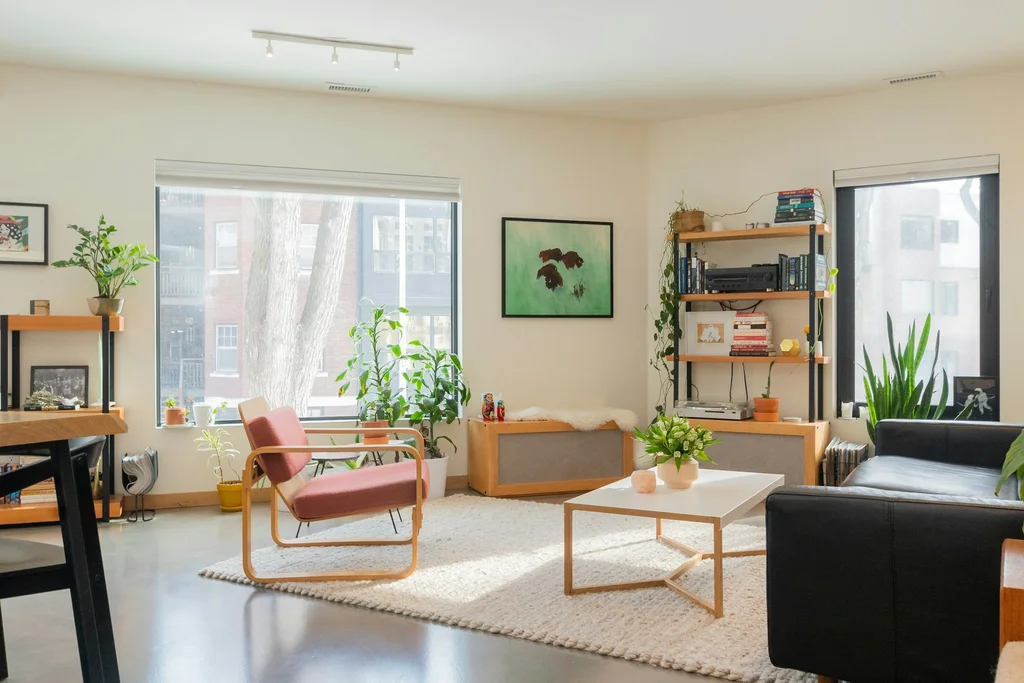 The original photo. Every render below starts from this room or from the empty one further down.
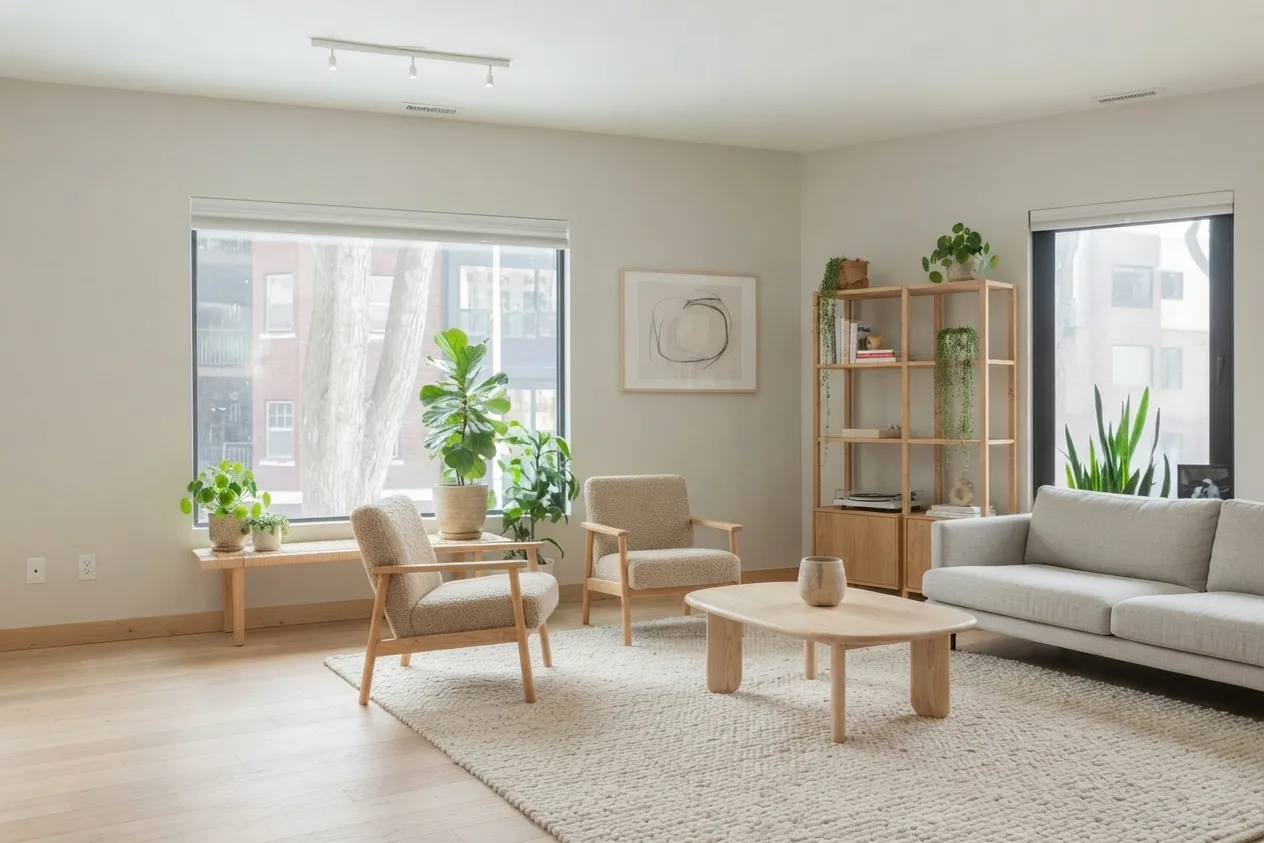
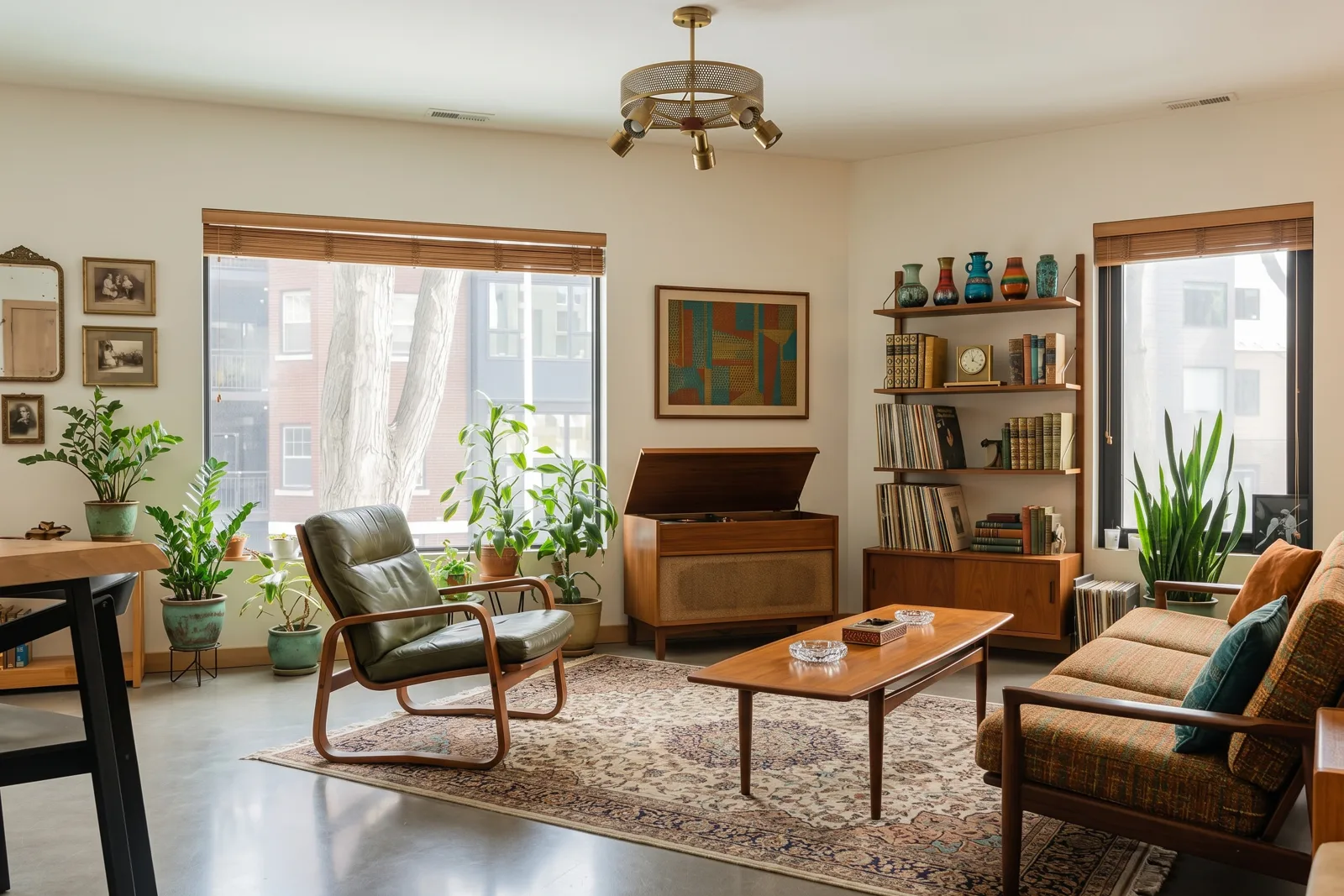
The hero image at the top of this post is the same room in the app’s Scandinavian style, with no colour accent: pale oak floor, boucle chairs, a light sofa. The track light, both windows and the ceiling vents stayed put. The floor did not, which is typical: a style changes surfaces as well as furniture, so if you plan to keep your floor, say so in a custom prompt.
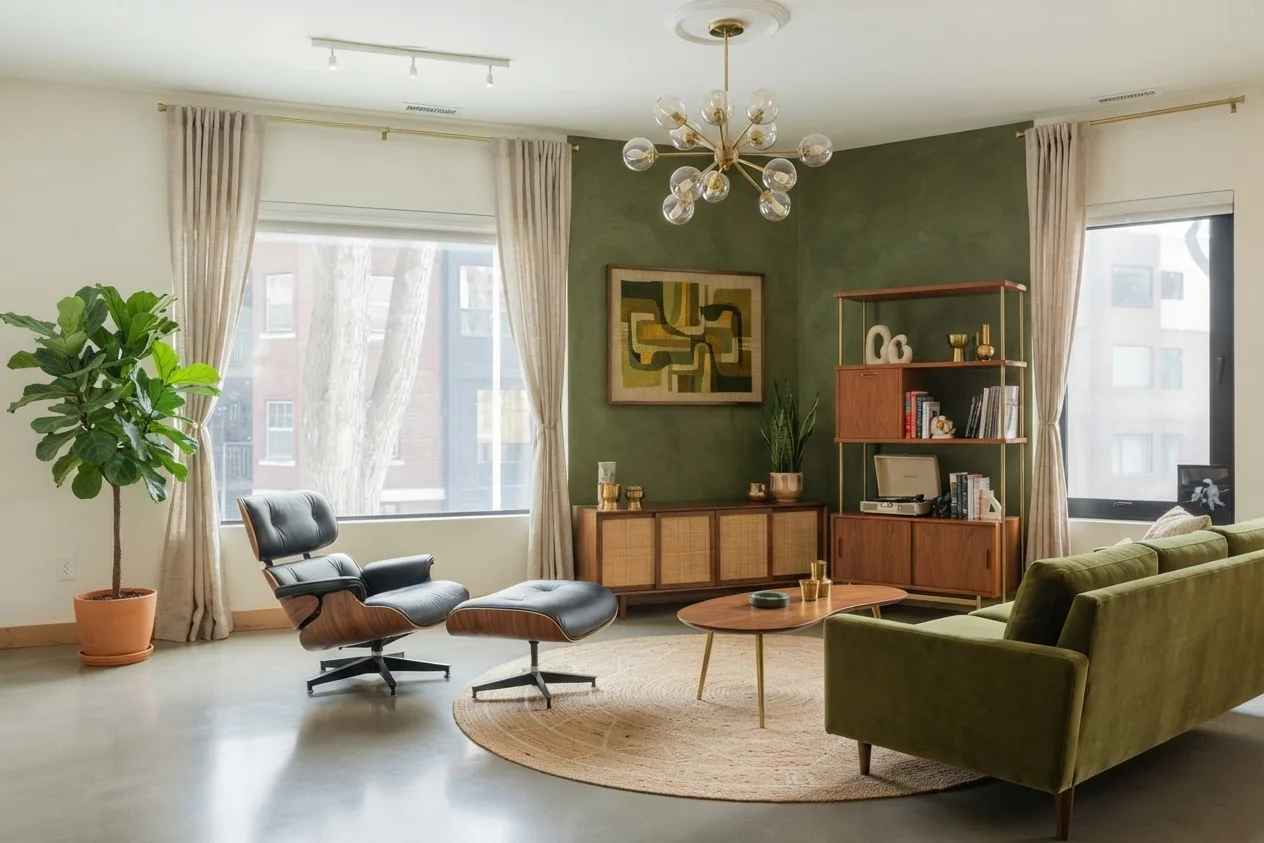 Roomagine render: Mid-Century Modern style, green colour accent. It added curtains, a chandelier and a painted corner wall.
The second render is the same photo in Mid-Century Modern with the green accent. The accent did a lot of work here. It painted a whole corner olive and chose a velvet sofa to match. It shows how much green a room can carry before it turns dark, which is worth seeing before you buy paint.
After a render, the app looks for real furniture that resembles what it drew. That matching covers chairs, sofas, beds and tables, in nine countries: the US, Canada, the UK, Germany, Austria, France, Spain, Italy and India. Outside those, and for lamps, rugs or art, you are on your own.
Price and free tier: Roomagine sells credit packs in the App Store and Google Play, with no subscription. The packs are priced by the stores, so check the listing in your country. Your first design is on us.
Platforms: iOS and Android. You can also try one design in your browser, with no account, before you install anything.
Best for: seeing your own room in several directions before you commit to paint, a sofa or a whole style.
Not for: layout planning, measurements or drawings to hand to a builder.
2. REimagine Home
REimagine Home is a browser-based tool aimed at homeowners and at agents who stage listings. Its own site describes virtual staging, edits to an uploaded photo, and on the higher plans a conversational design flow and real product suggestions.
Price and free tier: According to its pricing page, new users get five free designs with no card required. Paid plans run from $14 to $99 a month across four tiers: Essential (30 credits a month), Pro (200), Advanced (400) and Agency (900). The page gives the range but not each tier’s exact price.
Platforms: web. The pricing page mentions no phone app.
Best for: people who work at a desk and want staging and editing tools on a monthly plan.
3. RoomGPT
RoomGPT is one of the oldest names in this category. Its home page calls itself “your personal AI interior designer”: you upload a photo of a room and get it back in a different theme.
Price and free tier: RoomGPT sells credit plans, but on 9 October 2026 neither its home page nor its credits page showed prices or a free allowance. The site was running a limited-time discount code. Check the price at checkout.
Platforms: web.
Best for: a quick look at a room in another theme, in a browser.
We compared it with the other options in more detail on our RoomGPT alternatives page.
The same room in all three
We gave each restyler the original photo above and asked for mid-century modern. One run each, so treat this as a sample, not a verdict: results vary between runs.
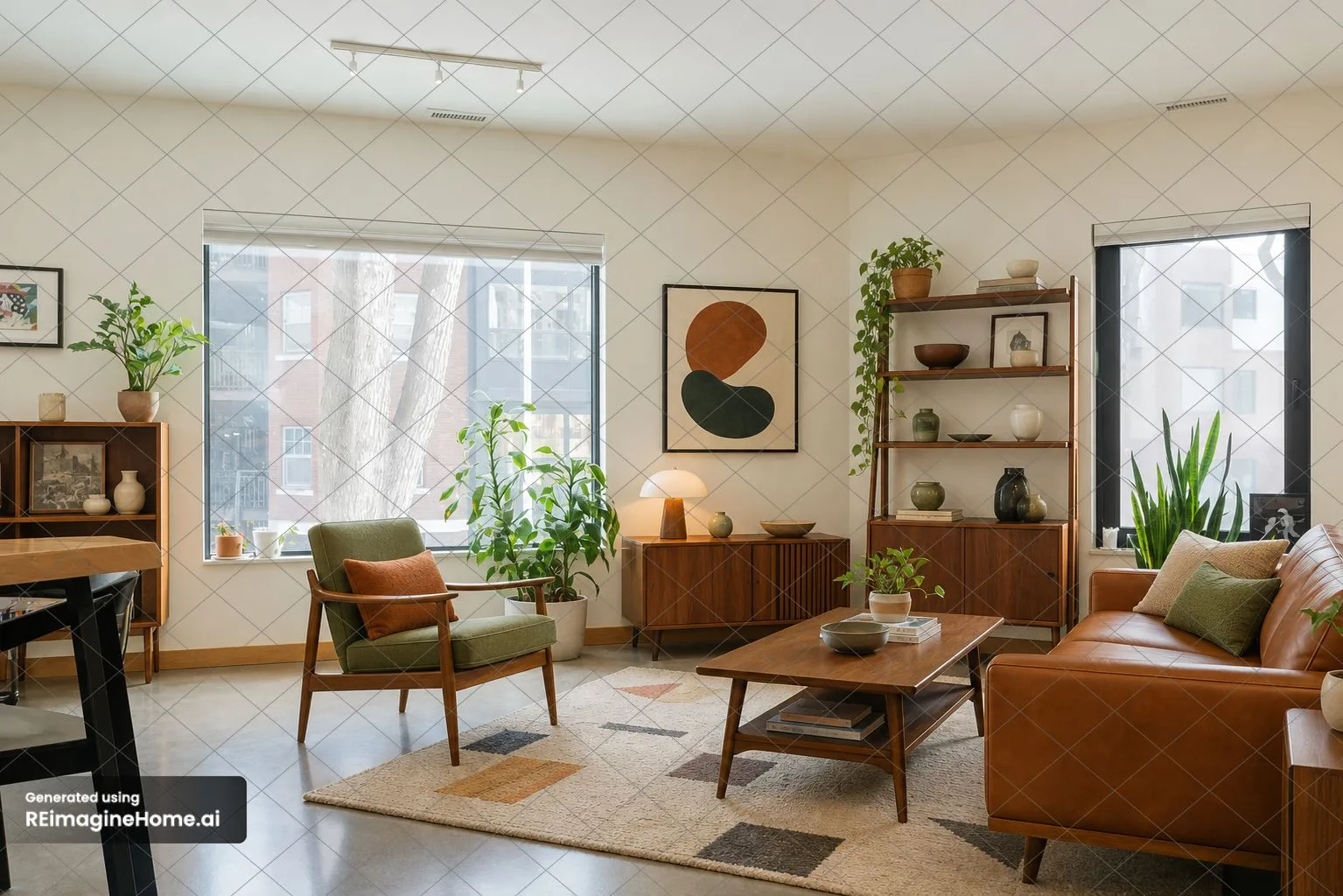 REimagine Home, Mid-Century Modern style, free plan. Free designs carry its watermark.
REimagine Home kept the most of the original: the track light, both windows, the plants on the sill and the table edge on the left all stayed. It swapped the furniture for walnut pieces and a tan leather sofa.
 RoomGPT, Vintage theme, paid credits. RoomGPT has no mid-century option, so we picked the closest one.
RoomGPT kept the walls and windows but replaced the track light and added wooden blinds. Its Vintage theme leans towards a 1970s den, with a record cabinet and a patterned rug, rather than strict mid-century.
Roomagine’s render, further up, changed the room the most, partly because we had added a green accent: it painted a corner and hung curtains and a chandelier. Without an accent, as in the hero image, it stays closer to the original walls.
Plan the room to scale
These apps start from a floor plan you draw, or one you import, and put 3D furniture into it. They are slower than a restyler and take some learning, but they answer the question a restyler can’t: does it fit.
4. Planner 5D
Planner 5D is a long-running 2D and 3D home planner that has added an AI Studio for generating and editing images, video and room tours. Its plans and AI credits are set out on its pricing page.
Price and free tier: The free plan includes unlimited projects and half of the furniture catalog. Premium is $19.99 a month or $59.99 a year and adds the full catalog of more than 10,000 items, floor-plan upload and 100 AI credits a month. Professional is $49.99 a month or $399.99 a year. The page shows euro and dollar figures in different places, so confirm the currency at checkout.
Platforms: web, iOS, Android, Windows and macOS.
Best for: someone who wants to draw the room properly, try layouts and then generate a picture of the result.
5. Homestyler
Homestyler is a browser-based 3D floor planner with a large free model library and a set of AI tools on top: staging, mood boards, a painter, a texturer and an AI render, each costing a set number of AI credits.
Price and free tier: According to Homestyler’s pricing page, the free Basic plan includes the 3D planner, unlimited 1K renders and more than 100,000 models, but only three AI credits in total. Paid plans start at $6.80 a month for Pro+ (shown as a 40 percent discount) with 180 AI credits a month, and at $11.80 a month for Master+ with 380.
Platforms: web, plus iOS and Android apps.
Best for: people who want a real planner for free and will pay only if they use the AI tools often.
6. HomeByMe
HomeByMe is a 3D room planner with a catalog of more than 90,000 products. It is a planner first and its AI side is light; it is listed here for readers who want to furnish a room drawn to scale and finish with a photorealistic image.
Price and free tier: The free Starter plan allows two projects and five Full HD images. Essentials and Pro are paid monthly or yearly and add unlimited projects and more high-resolution images, but the offers page did not show their prices on 9 October 2026.
Platforms: web, iOS and Android.
Best for: planning a room piece by piece from a large catalog, with photorealistic images at the end.
If you are still deciding which kind of tool you need, our guide to online room layout planners covers the planning side in more depth.
Design with one shop’s catalog
7. IKEA Kreativ
IKEA Kreativ is IKEA’s room-design tool, built into the IKEA app and website. In the app you capture your room; on the web you can upload a room photo or start from one of IKEA’s showrooms. You can erase your own furniture from the picture and place IKEA products in its place, then add them to the basket.
Price and free tier: designing costs nothing, and you pay for the furniture.
Platforms: the IKEA app and IKEA’s website, with features that vary by country.
Best for: people who already know they are furnishing from IKEA and want to see the actual products in their own room.
8. DecorMatters
DecorMatters is a design app with a strong social side: design challenges, games and a feed of other users’ rooms. Its AI tools generate full room designs, swap furniture, colours or materials in a photo you upload, and adjust lighting and mood.
Price and free tier: The home page does not list prices or say which features are free. Check the in-app purchase list in your store before you start.
Platforms: iOS and Android.
Best for: first-time decorators who enjoy the social and game-like side of design as much as the result.
A note on empty rooms
Several of these apps advertise virtual staging: furnishing an empty room so that it reads as a home. It is the same idea as restyling a furnished room, with one difference: there is nothing to keep except the architecture.
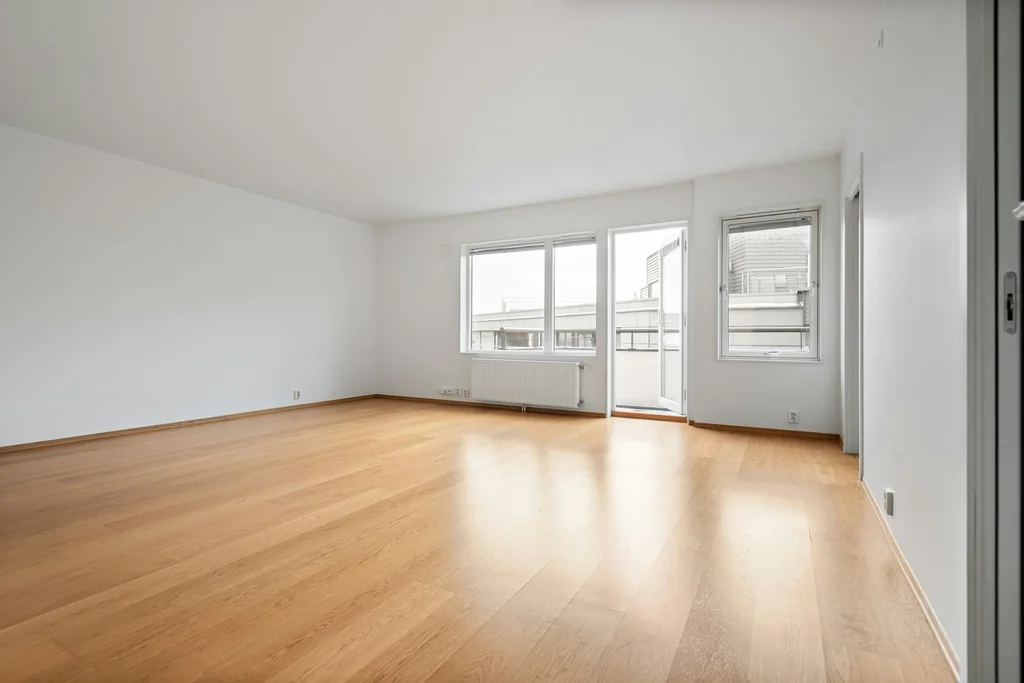 The empty room as photographed.
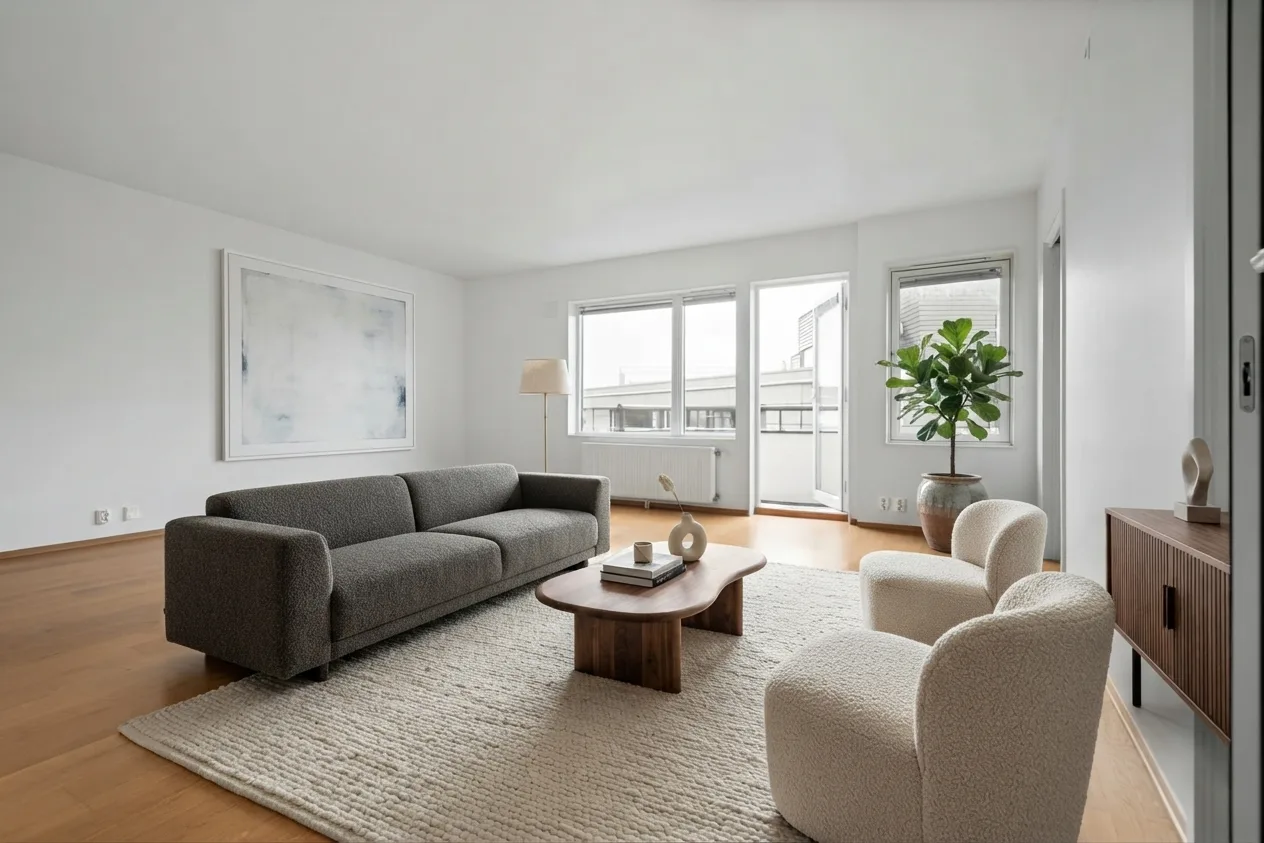 Roomagine render: Contemporary style, no accent. The radiator, balcony door and windows stay where they are.
That render is Roomagine’s Contemporary style on a photo of an empty room. The radiator, the balcony door and all three window frames survived. If you are staging a home to sell, our guide to virtual staging apps covers that side in more depth.
How to choose in five minutes
Answer three questions while you are standing in the room.
Do you need to know whether things fit? If yes, you need a planner: Planner 5D, Homestyler or HomeByMe. A restyled photo cannot tell you whether a 220 cm sofa clears the door.
Do you have a phone in your hand, or a laptop? Roomagine, DecorMatters and the IKEA app run on your phone. REimagine Home and RoomGPT are browser tools. The planners run on both, but drawing walls is easier with a mouse.
How often will you use it? For one room, a free tier or a credit pack you buy once is cheaper than any monthly plan. If you stage listings every week, a subscription with a monthly credit allowance can make sense.
Whatever you pick, take the photo well. Stand in a corner so that two walls are in frame, hold the phone at chest height, turn on every light and clear the floor. A restyler can only keep what it can see. For a sense of which style to ask for in the first place, our overview of interior design styles shows what each one actually looks like.
Frequently asked questions
Is there a free AI interior design app?
Most of these have a free tier, but the limits differ. Planner 5D, Homestyler and HomeByMe have free plans with real planning features and small or no AI allowances. REimagine Home gives five free designs. With Roomagine, your first design is on us, and you can try one design in the browser without an account.
Which app keeps my room’s layout?
Photo restylers are built to keep the walls, windows and doors from your photo. Expect furniture, colour and sometimes the floor to change, and say in a custom prompt what must stay.
Can these apps tell me what to buy?
Some can. IKEA Kreativ shows only IKEA products. The planners place catalog furniture into a room you have drawn. Roomagine looks for matching chairs, sofas, beds and tables in nine countries after it renders a room.
Try it on your own room
Take one photo of the room you want to change. If you want to see it in Scandinavian, Mid-Century Modern or any of the other styles before you spend money on it, try one design in your browser, no account needed, or install Roomagine on your phone for the full set of styles and variants.